01
ABLE: Resume your work
Project overview
01
ABLE
Project overview
01
Project overview
  • ABLE: Resume your work

    ABLE: Resume your work

The Context picker keeps the active project visible and lets a person switch between saved working states without rebuilding their setup.

Every timeyouswitchprojects,yourebuildyourworkingstate:reopen the tabs,find the notes,locate the files,and rememberwhereyouleft off.Thiscasebringstogetherworkdevelopedwith the AegisAlphateamand an independentcontinuationofthe productdirectionI saw for ABLE.

Every timeyouswitchprojects,yourebuildyourworkingstate:reopen the tabs,find the notes,locate the files,and rememberwhereyouleft off.Thiscasebringstogetherworkdevelopedwith the AegisAlphateamand an independentcontinuationofthe productdirectionI saw for ABLE.

From research to product decisions, the work kept one question in view: how can ABLE help someone return to work without rebuilding its context?

This is a short visual version of the case. It brings together the work developed with the AegisAlpha team and an independent continuation of the direction I saw for ABLE. For the full project scope, process, and my contribution, read the case study on Medium.

Timeline

2021–February 2026

Role

Product manager and designer

Team

Founder and product owner: Boris V.
Engineering: Boris B., Roman H., Andriy K.
Market researcher: Andrii S.
Project manager: Andrii Y.
Quality Assurance: Sabina O., Denis H.

Scope

At AegisAlpha: research, product direction, information architecture, interaction design, and Context picker iterations.

Independent continuation: goal-led onboarding, bottom Context picker, navigation, and visual system.

Links

Process and product direction.


01

Find the friction in real work

Research across search tasks, real information systems, and product testing showed the same break: people could save fragments, but connecting them and returning to unfinished work still required manual reconstruction.

Find the friction in real work

Research across search tasks, real information systems, and product testing showed the same break: people could save fragments, but connecting them and returning to unfinished work still required manual reconstruction.

02

Define the missing product primitive

Contexts connected web pages, files, notes, and unfinished work around a project. The model kept the user’s files in their own system while giving the project a place to persist.

Define the missing product primitive

Contexts connected web pages, files, notes, and unfinished work around a project. The model kept the user’s files in their own system while giving the project a place to persist.

03

Prove the first return

The picker solved a later-stage problem: switching between Contexts that already existed. The unresolved problem was the first-use path: helping someone arrive with a real goal, reach a useful first outcome, and have a reason to return.

Prove the first return

The picker solved a later-stage problem: switching between Contexts that already existed. The unresolved problem was the first-use path: helping someone arrive with a real goal, reach a useful first outcome, and have a reason to return.


This showcase combines work created and tested with the ABLE team with an independent continuation developed after I left AegisAlpha.

Process, approach, and outcomes

From research to product decisions, the work kept one question in view: how can ABLE help someone return to work without rebuilding its context.From research to product decisions, the work kept one question in view: how can ABLE help someone return to work without rebuilding its context.

Research-led product direction

Across the project, I translated continuous research into product direction, information architecture, interaction patterns, prototypes, and the Context picker versions we released.

Find the friction in real work

From research to product decisions, the work kept one question in view: how can ABLE help someone return to work without rebuilding its context?

An independent continuation built around the missing first moment

After leaving AegisAlpha, I designed the missing onboarding as an independent concept. It begins with a real goal, connects existing browsers, knowledge bases, and folders or prepares a useful first Context, and opens Home with material already in place.

02
ABLE: Resume your work
Onboarding
02
ABLE
Onboarding
02
Onboarding

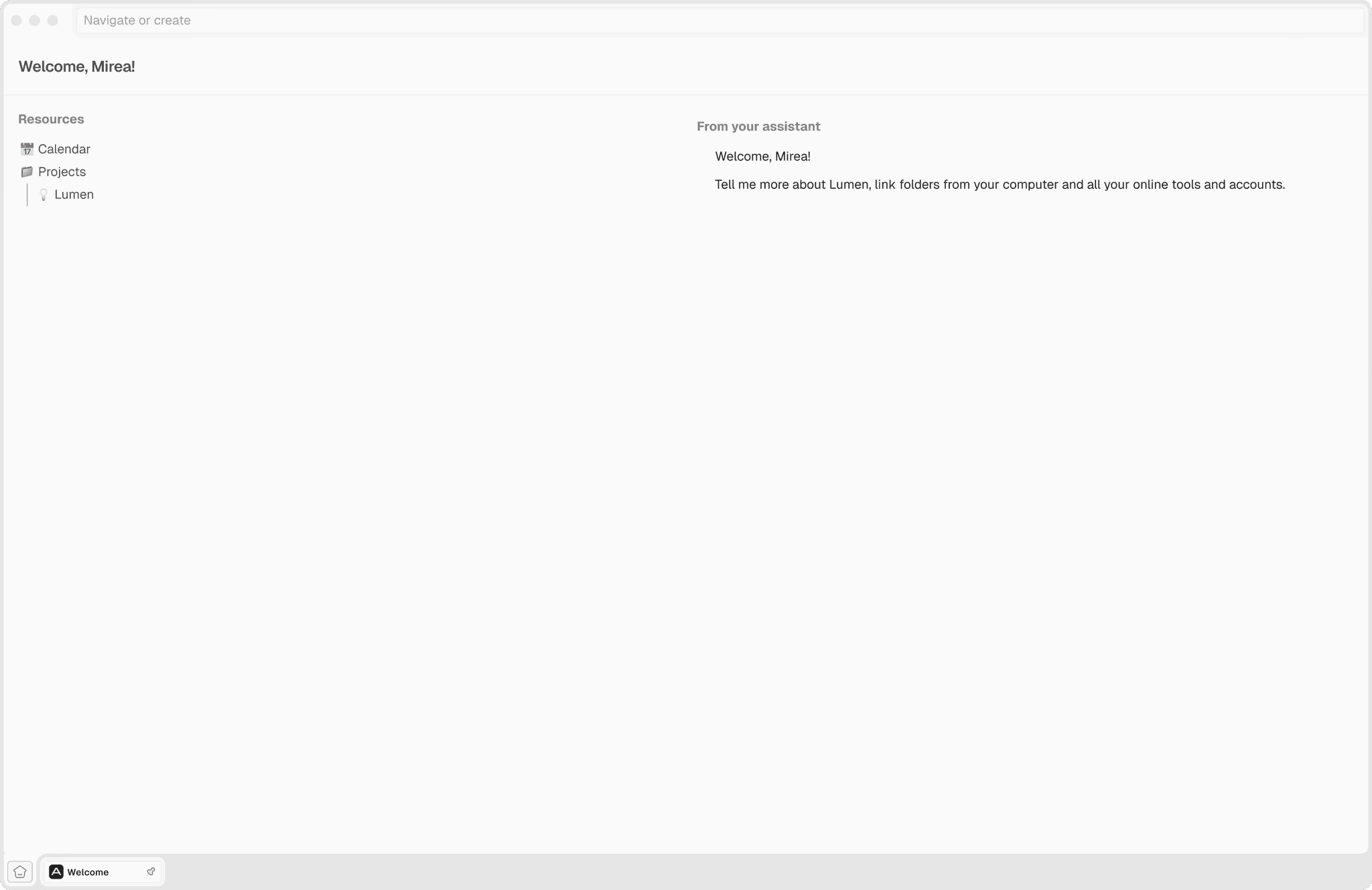
The concept begins with a  real goal and supports two ways to start: connect existing browsers, knowledge bases, and folders, or receive a ready first Context. Home opens with useful material already in place, so the user can continue before learning the whole system.
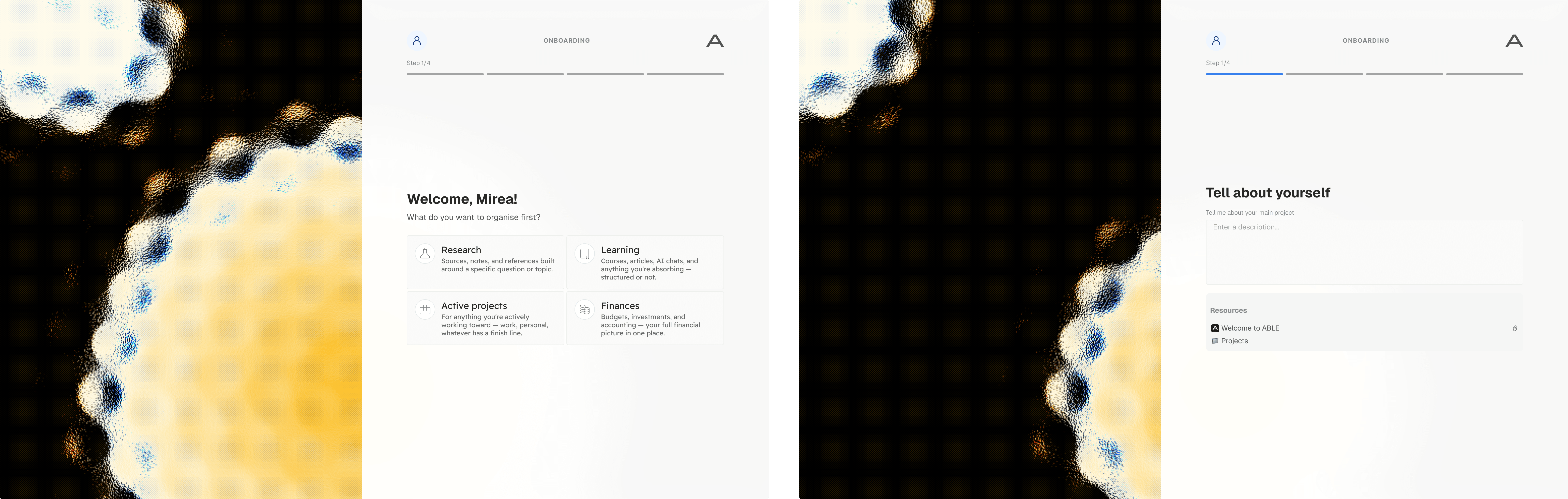
A flow showing how a real goal and existing sources become a useful first Context before Home opens.

Onboarding turns a real goal and existing sources into a useful first Context before Home opens.

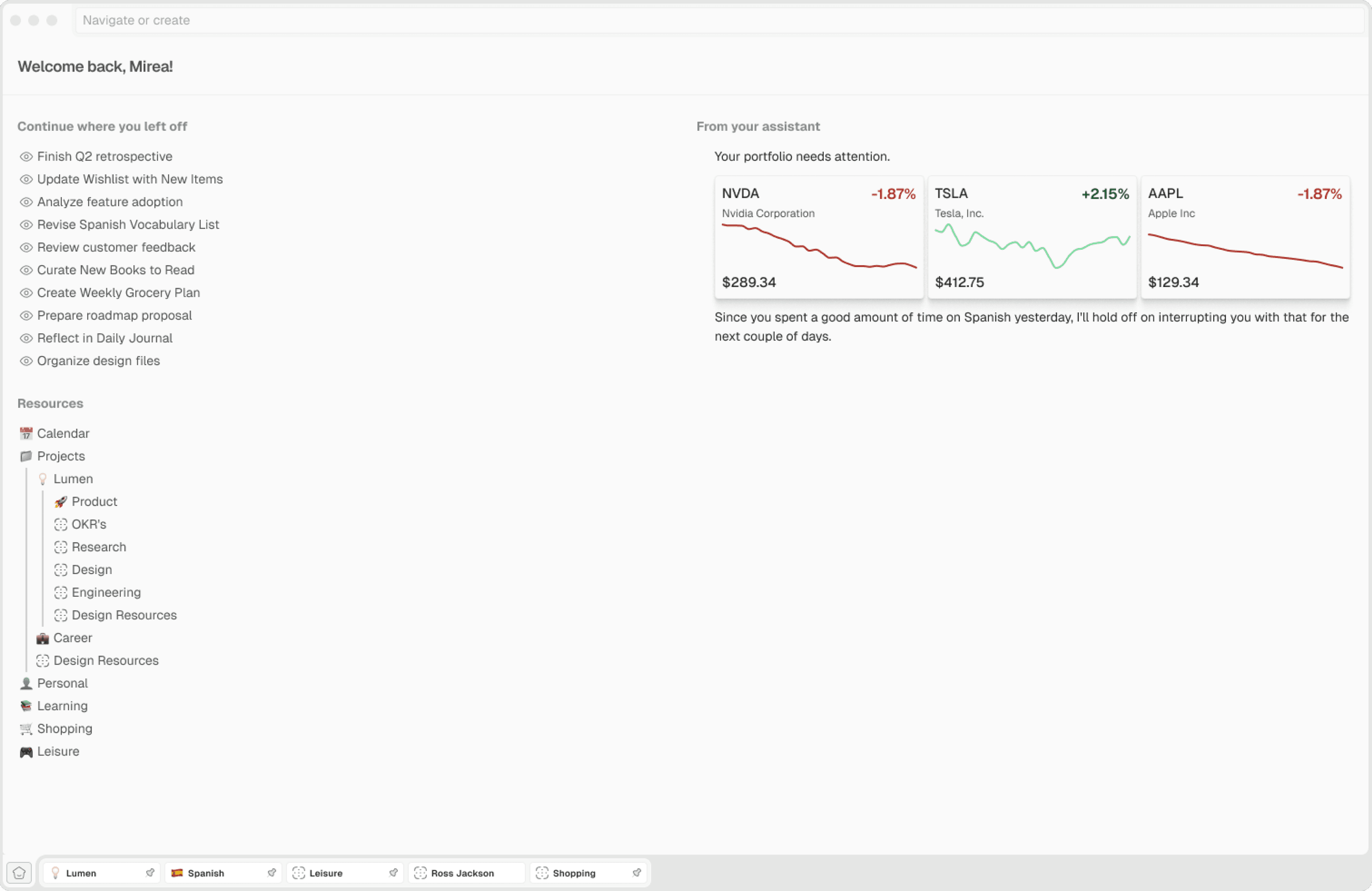
ABLE Home screen bringing the person’s current work into one starting point.

When ABLE opens for the first time, the empty state gives the person a clear way to begin.

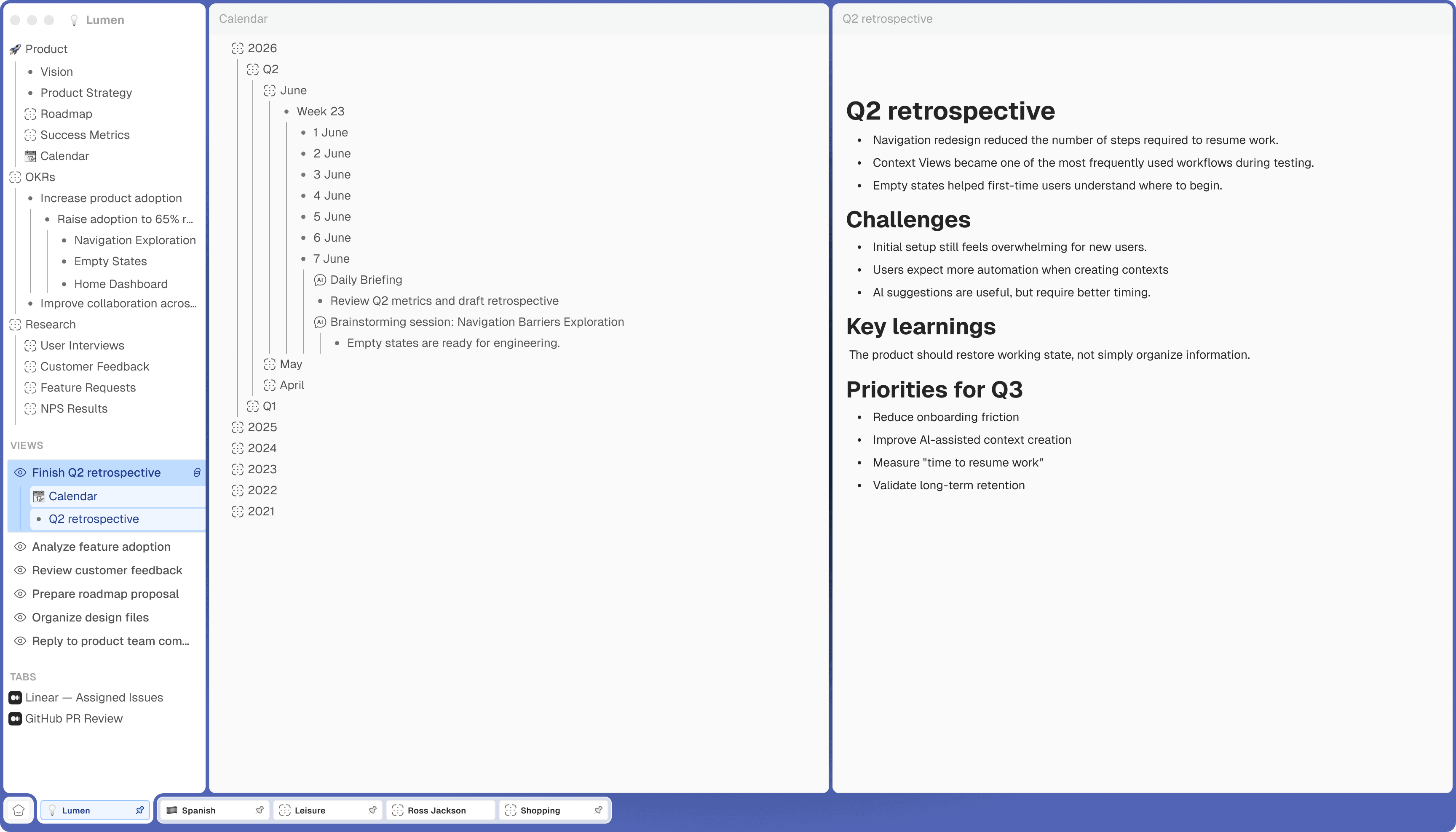
ABLE interface showing Contexts organised by project and Views for focused tasks.

Home brings current work into one place, so the person can continue instead of reconstructing their setup.

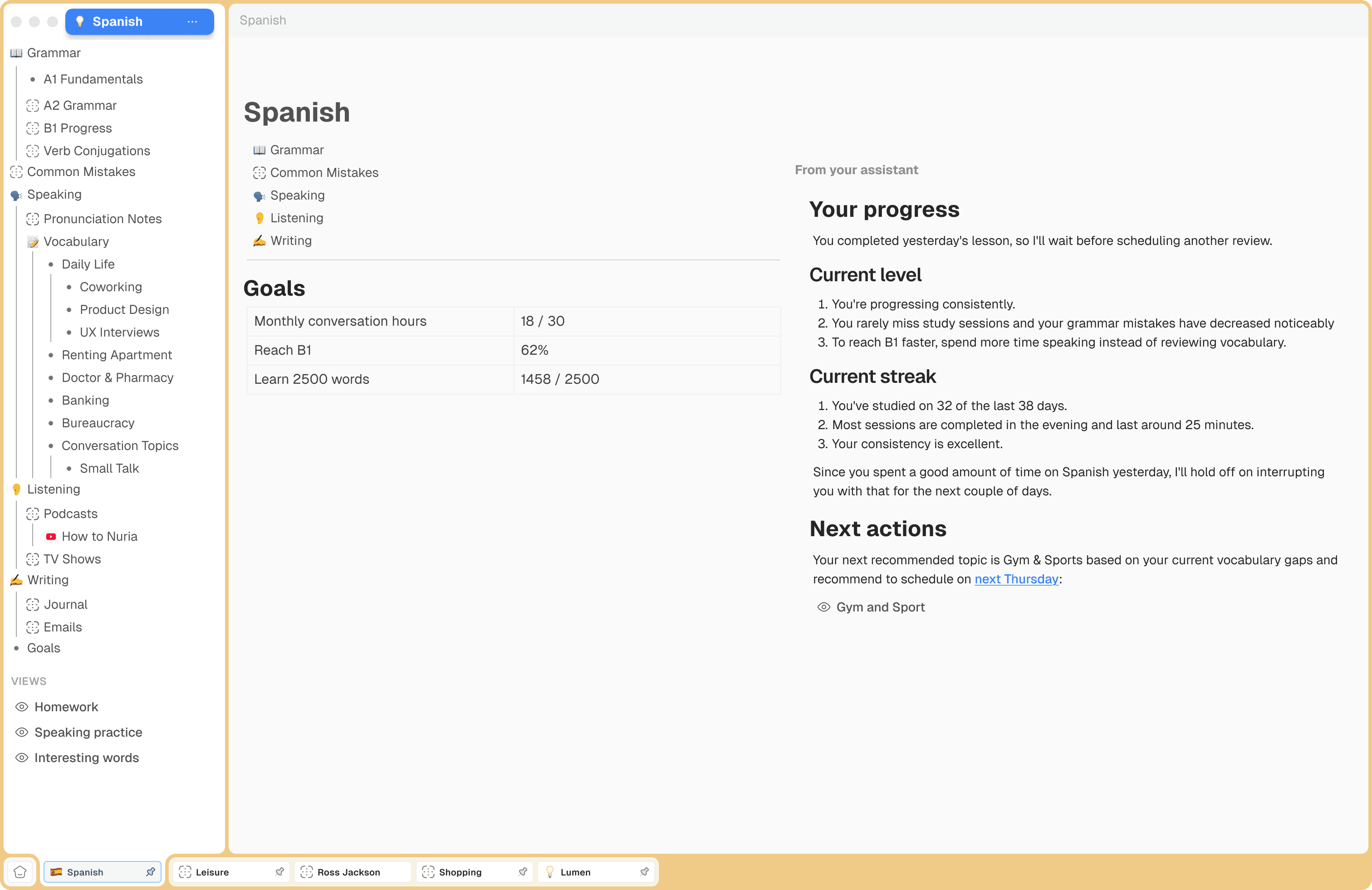
A View in ABLE that keeps the relevant resources and workspace layout together for a specific task.

A View keeps the relevant tabs, notes, and resources together, so the next return starts from the right working state.

ABLE workspace with tabs, notes, and resources arranged to help a person resume work without rebuilding their setup.

Contexts organise work by project, while Views preserve the resources and layout needed for a specific task.

The onboarding flow prepares a useful first Context from a real goal and existing sources before Home opens.

The Home screen is where everything starts.

Over time, Home evolves around the user’s Contexts, Views, and unfinished work.

Views preserve the resources and panes needed to resume a specific task.

03
ABLE: Resume your work
Visual system
03
ABLE
Visual system
03
Visual system
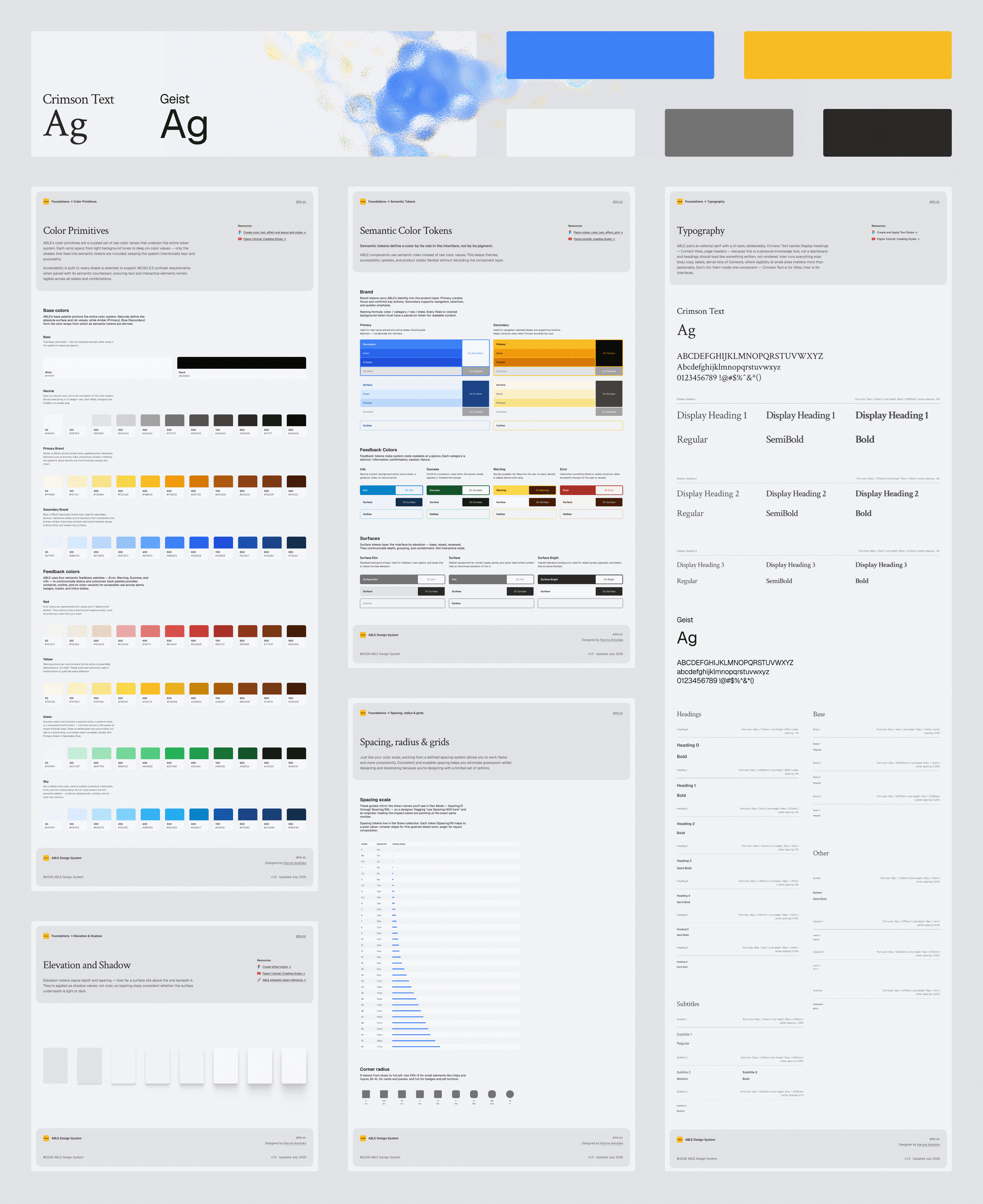
Foundations of the ABLE visual system, including semantic color, typography, spacing, elevation, and interface states.

The visual system turns ABLE’s direction into reusable rules, keeping screens and states consistent.
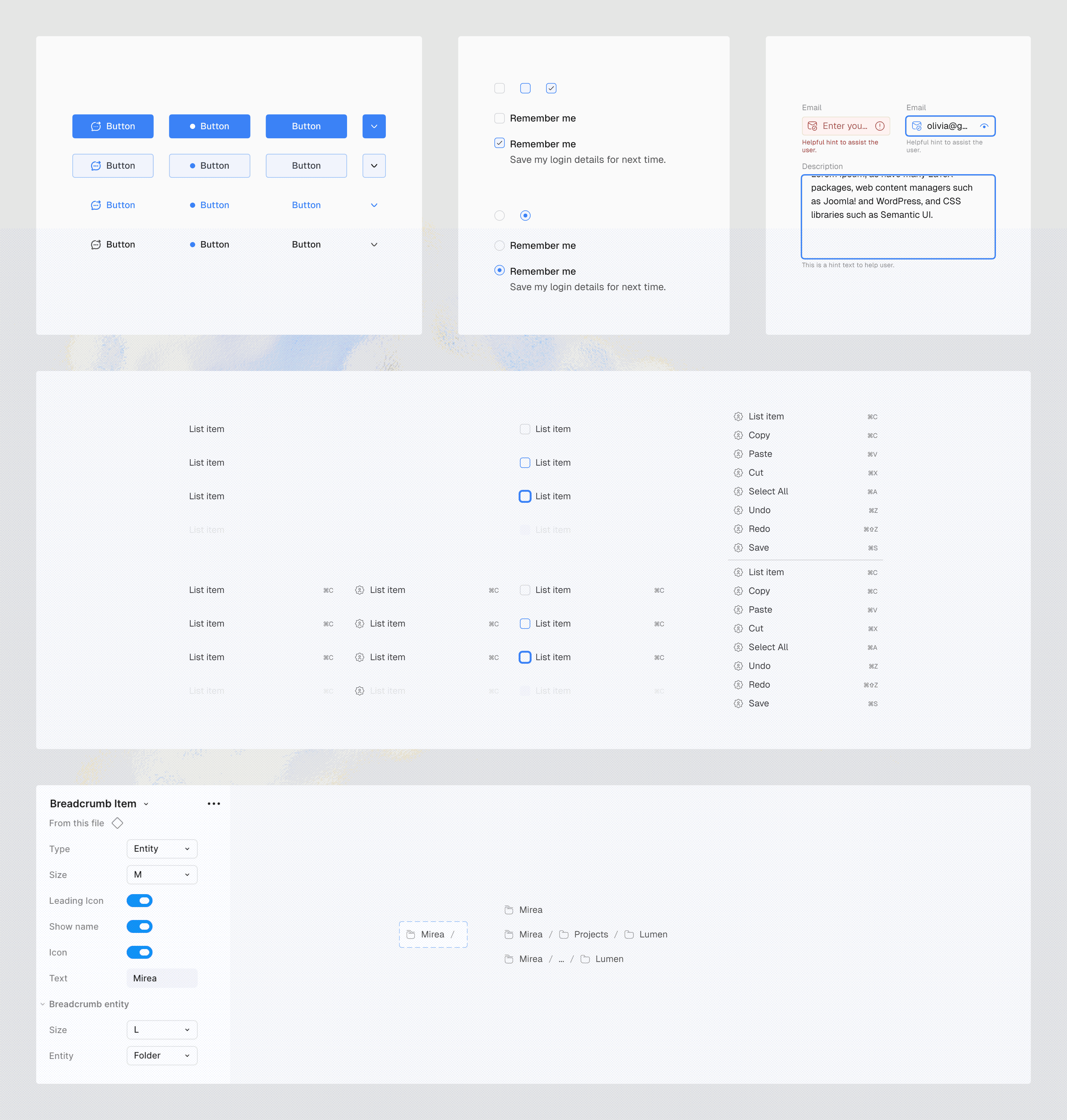
Shared ABLE components and interaction states used across onboarding, navigation, and the workspace.

Shared components give onboarding, the Context picker, navigation, the sidebar, editor, and browser controls a consistent set of states.
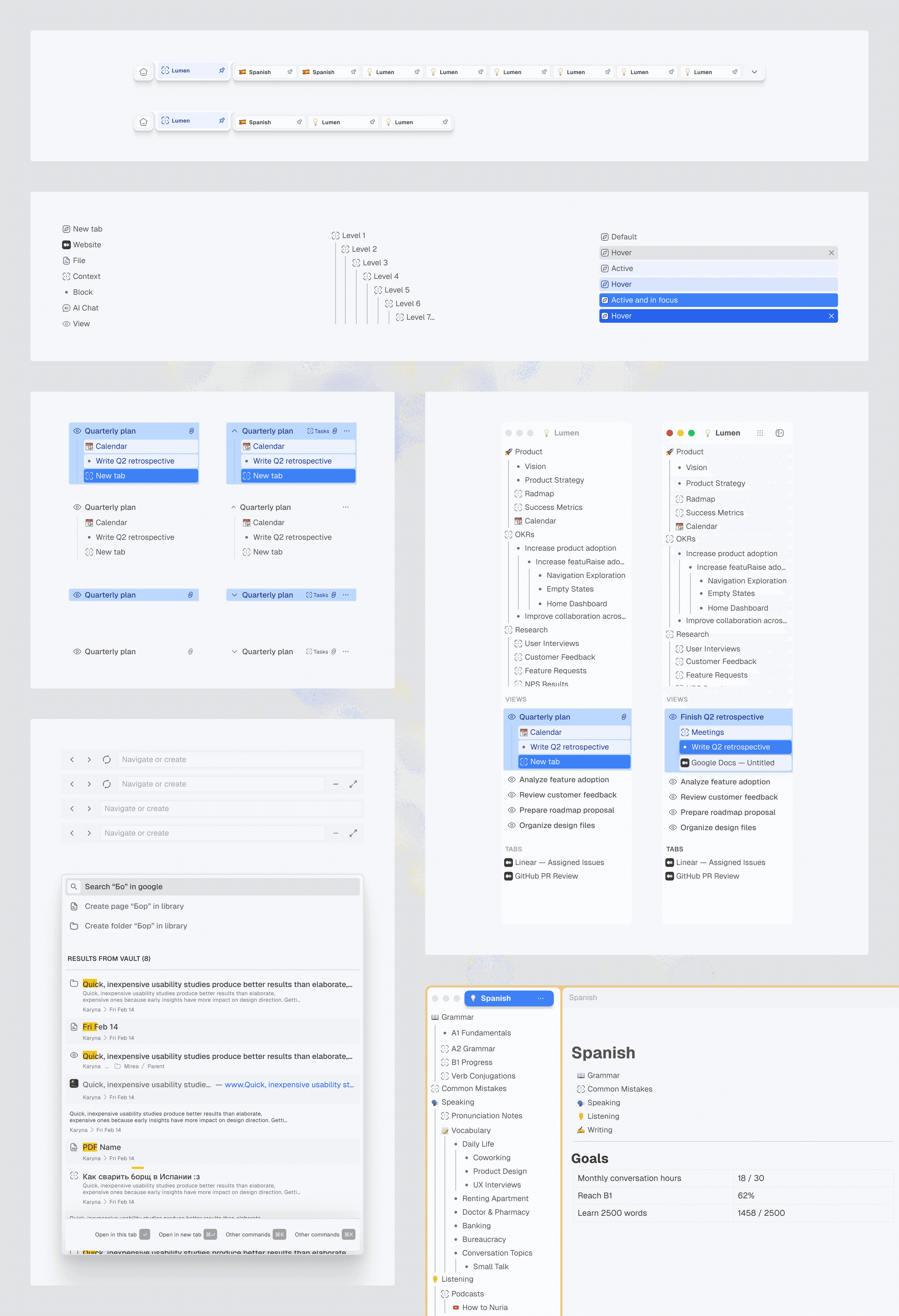
ABLE navigation showing the relationship between Contexts, Views, resources, tabs, search, and browser controls.

ABLE’s navigation connects product navigation, Contexts, resources, Views, tabs, search, and browser controls through a shared hierarchy and consistent interaction states.

After defining the core experience, I developed the independent visual system from the foundations up: color, typography, spacing, elevation, and shared states. Context colors carry through onboarding, navigation, Views, and the Context picker, while the workspace stays neutral.
04
ABLE: Resume your work
Interface modes
04
ABLE
Interface modes
04
Interface modes

Light and dark modes preserve the same hierarchy, Context colors, and interaction states, so the project remains recognisable in either mode.

Dark
Light
05
ABLE: Resume your work
Reflection and next steps
05
ABLE
Reflection and next steps
05
Reflection and next steps

The case study on Medium documents the work created with the AegisAlpha team through February 2026. The goal‑led onboarding, bottom Context picker, navigation, and visual system shown here are an independent, untested continuation.

Working across research, product direction, design, and delivery clarified what I would protect next: one clear path from a person’s real goal to a useful first Context, backed by clear priorities, shared decisions, and enough focused time to carry it through.